Free
Escalo
Everything you record.
- Every logging model
- The exercise library
- Custom exercises
- Starter sessions
- Your full history
- The body map
- CSV export
- Up to 4 saved workouts
A workout log for every way you train
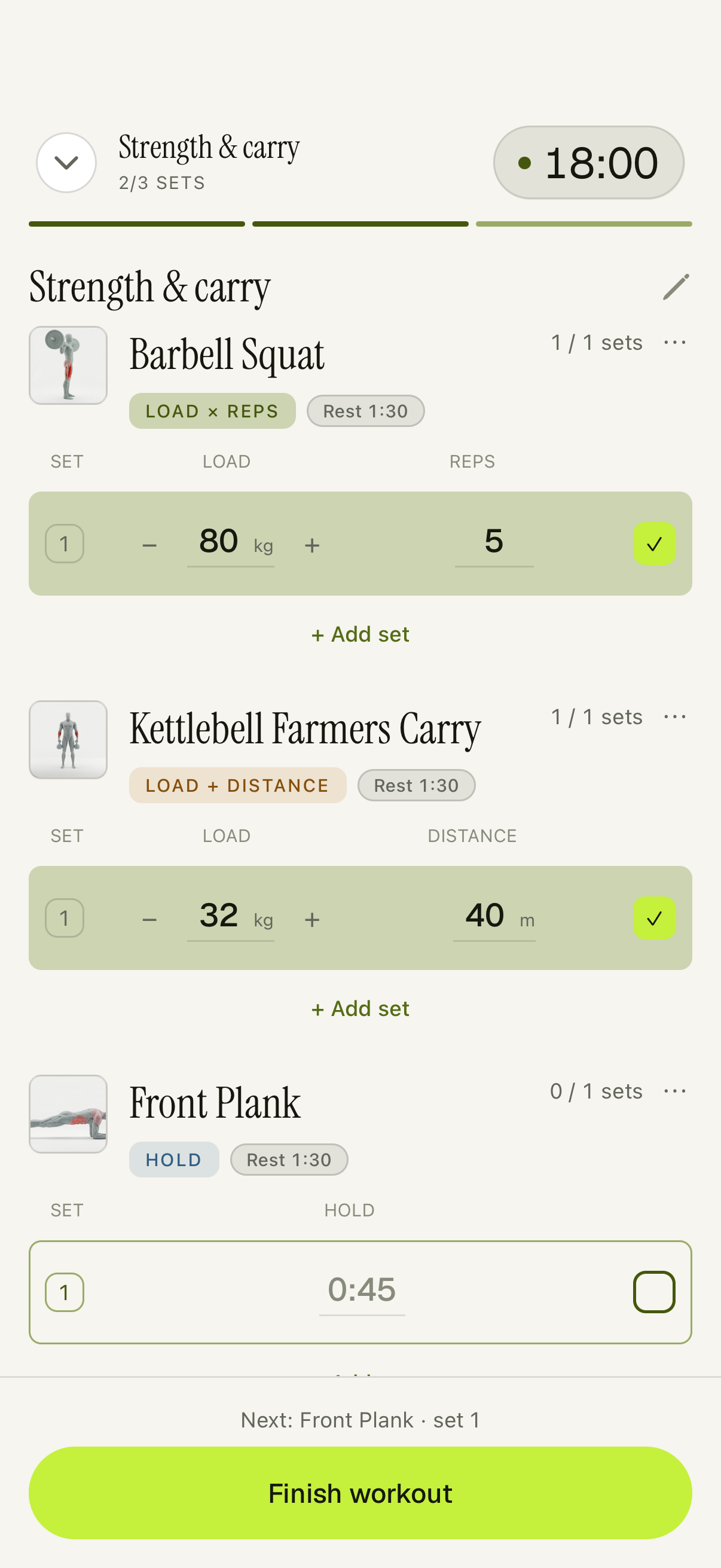
A squat is weight and reps. A carry is weight and distance. A plank is time. A single-arm press is left and right — and Escalo tells you when one side is behind.
See how it worksFor iPhone. Your training saves on your phone first and works offline.
01 / Record
Each movement gets the fields that fit, and nothing else.
Six ways to record. One workout log.
A little less typing
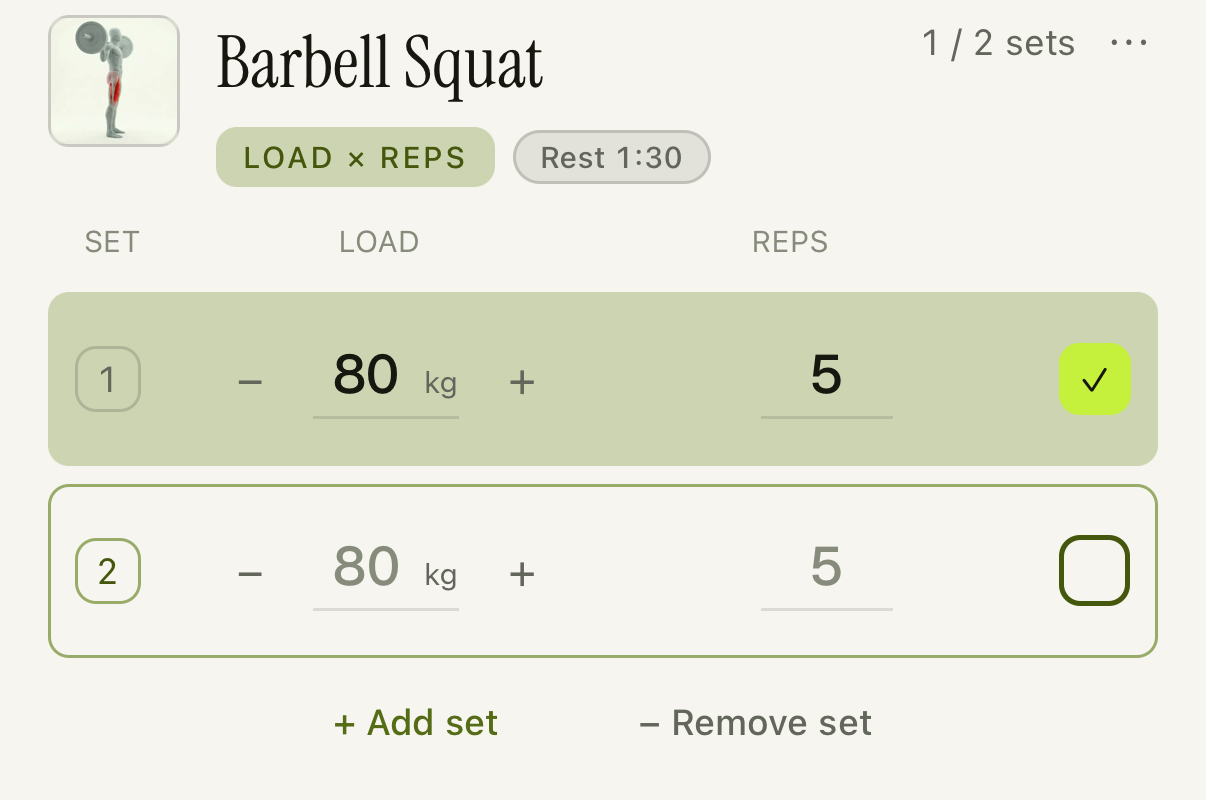
Grey numbers suggest what you logged last time, or the set above. Change them, or tap the checkbox to accept them.
Adding a set opens a new row. The numbers become your record when you log them.
Keep the round together
Log each move, then tick the whole round. Supersets stay together as you train.
Included in Free.
Goblet Squat 24 kg × 8
Pull-up BW × 6
Goblet Squat 24 kg × 8
Pull-up BW × 6
02 / Progress
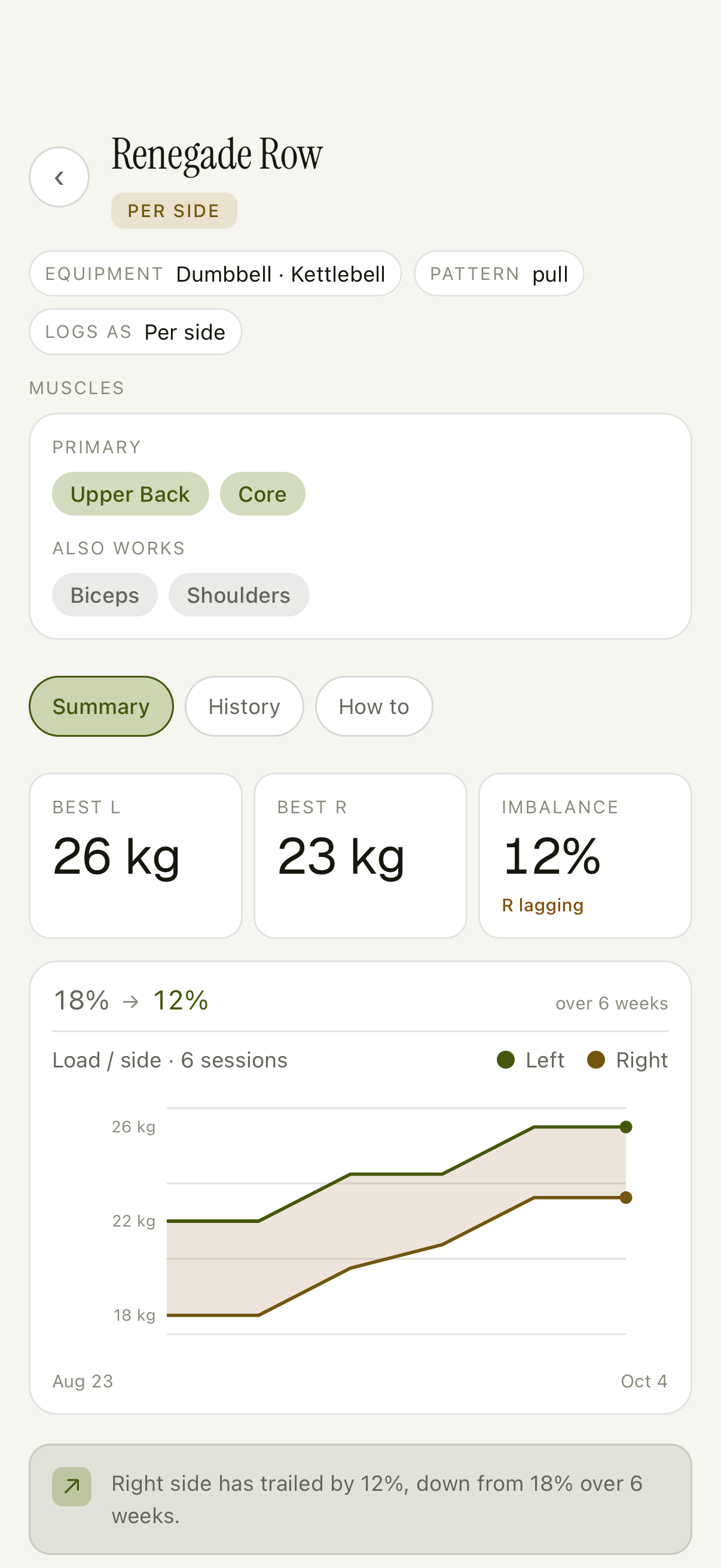
Log left and right separately. Follow two lines over time, and see the gap between them.
Right side has trailed by 12%, down from 18% over 6 weeks.
Per-exercise progress is included in Free.
Escalo Pro adds a Balance report across your training.
03 / Review
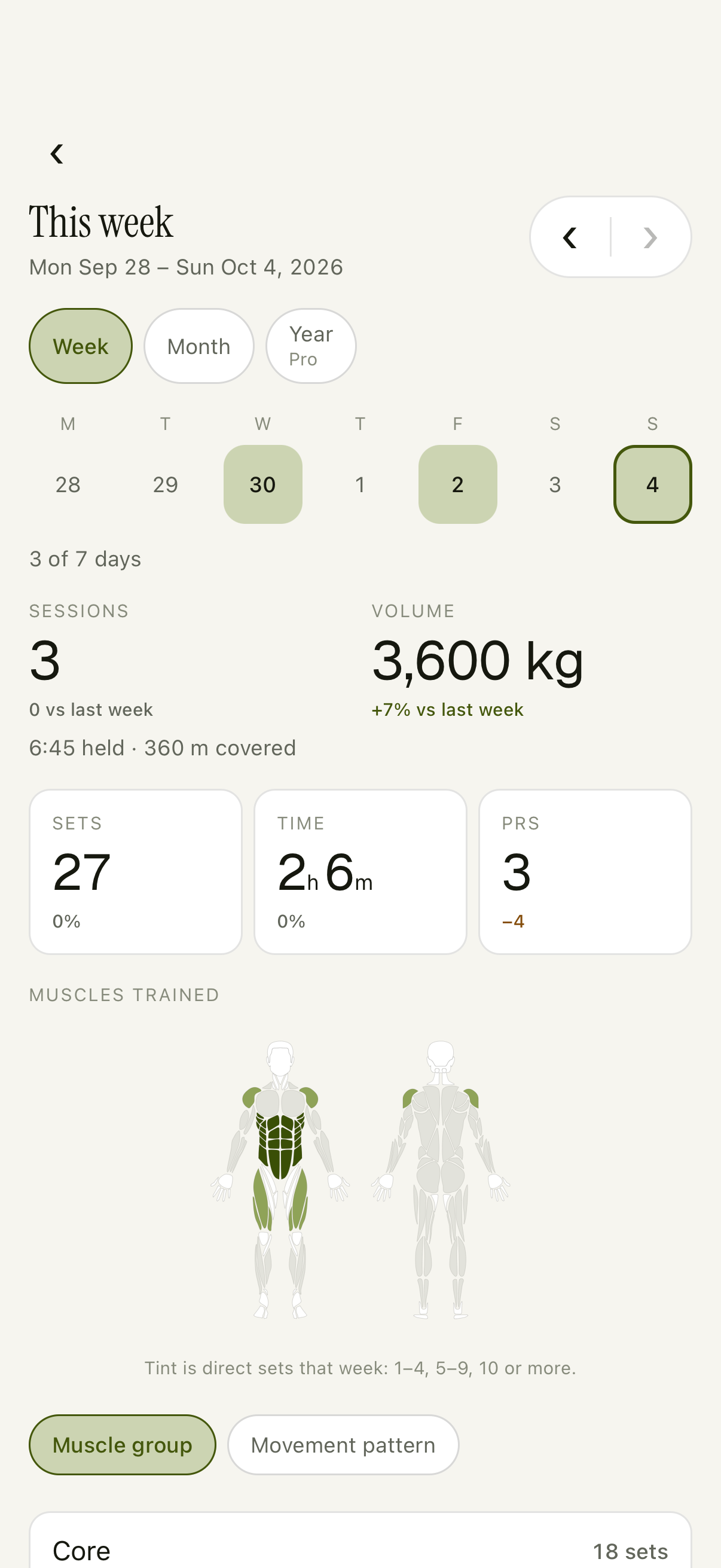
A day of training becomes a week you can read. See the sessions, the records, and where your work went.
Home, weekly reviews, and your training history are included in Free.
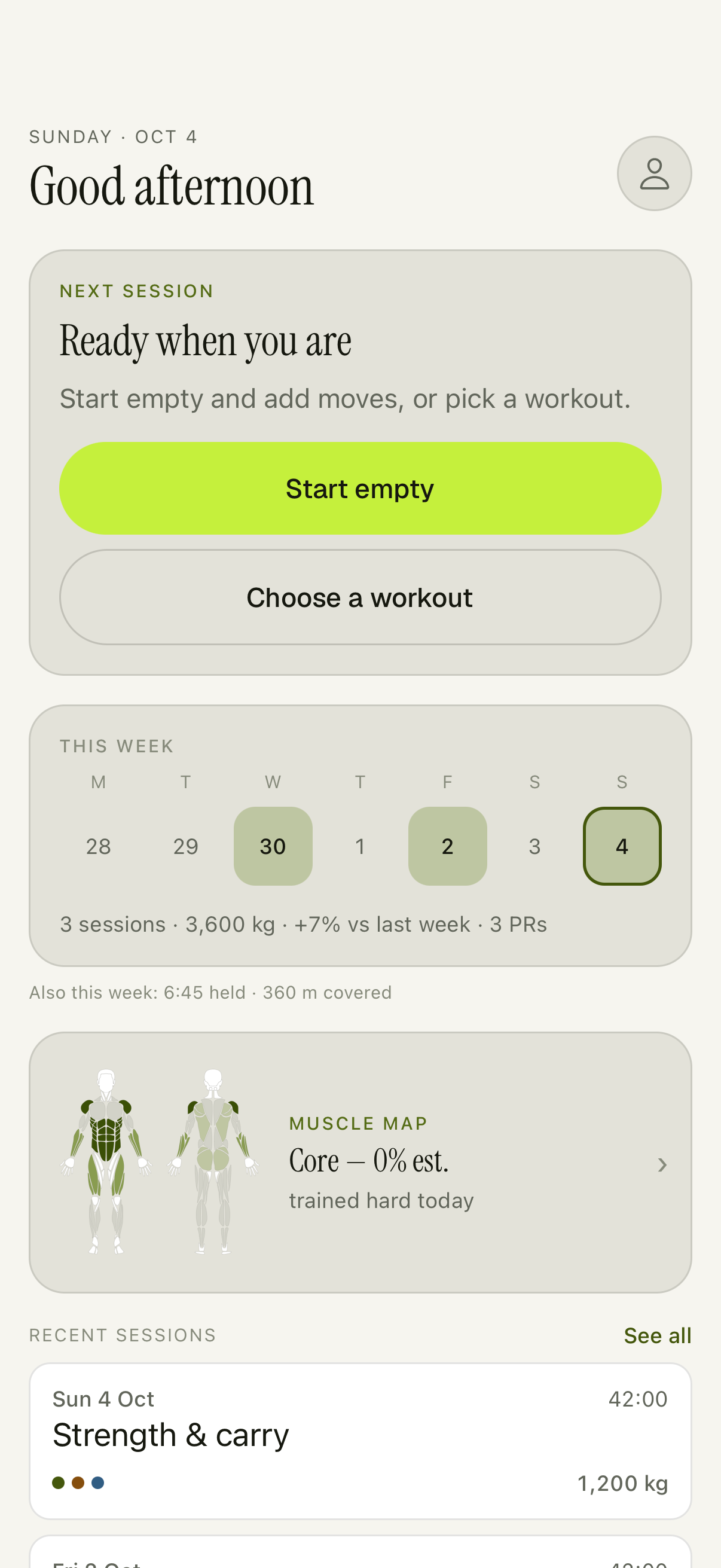
Your calendar keeps the days. Your history keeps the detail. Open a week to read the training that made it.
Your training saves on your phone first and works offline. Your account backs it up when there is signal.
Export everything as CSV, free. Your full training history is included in Free.
Free / Escalo Pro
Logging is free, with four saved workouts. Escalo Pro reads what your training adds up to, and adds a food log.
Free
Everything you record.
Pro
Everything in Free, plus what your training adds up to.
Subscriptions are available in the app. Cancelling Pro keeps your history and free logging.
Escalo / For iPhone
Questions? Visit Support or get in touch.